How to Update a Product in Erudus






Updating products in Erudus (when necessary) is critical to ensuring the information in our Data Pool is accurate and legally compliant. It's vital for consumer safety, and accurate waste reporting and logistics.
Any change to the product's on pack or off pack data should be updated as quickly as possible in order to prevent customer confusion, and ensure the entire supply chain has reliable product data.
Why might a product need to be updated?
There are several reasons you might need to update a product. These include:
- Recipe changes (updates to ingredients, allergens, or nutritional values)
- Packaging changes (changes materials, weight, or size)
- Accreditation updates
Now here’s your step-by-step guide to updating a product in Erudus...
Step 1
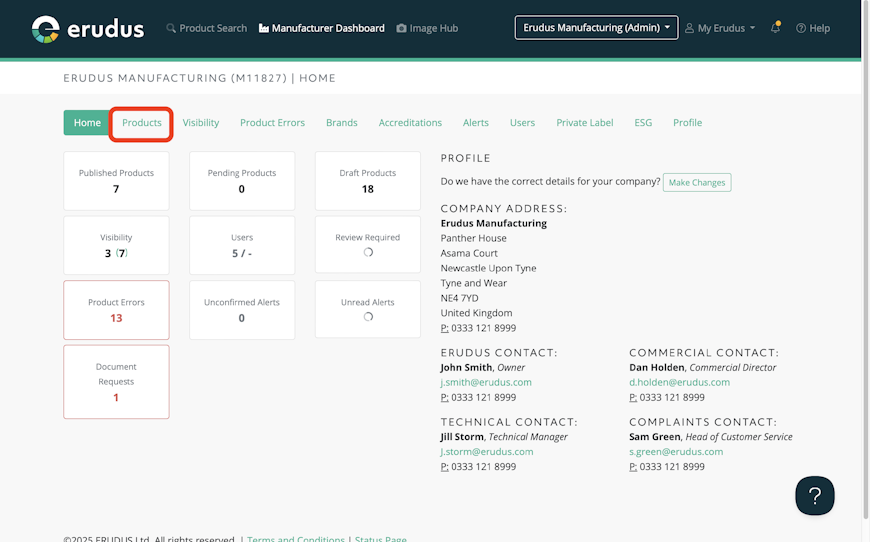
Identify the product you wish to update by selecting “Products” or “Published products” from the Dashboard as shown in the screenshot below.


Step 2
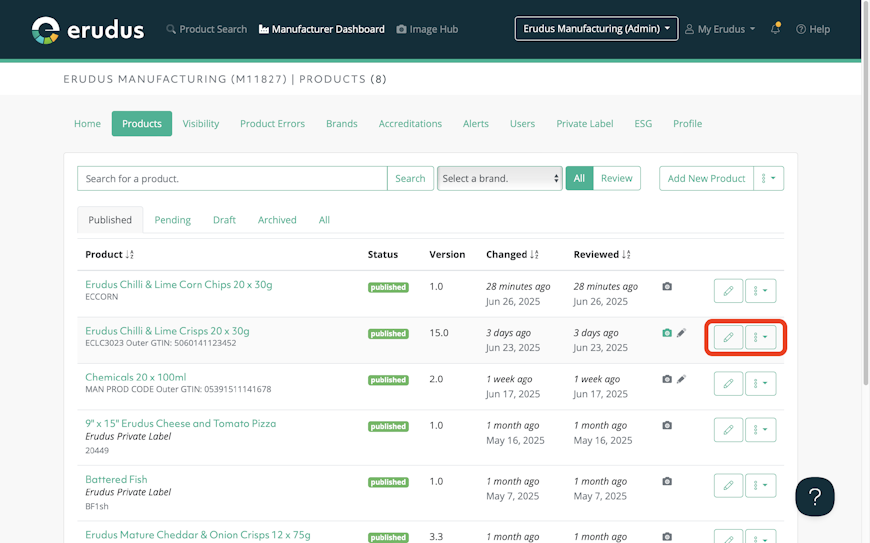
Once the product has been identified, select the Pencil Icon or the drop-down menu and choose “Edit”.

Step 3
You will then be presented with the Erudus Product Editor, where you can make changes to the attributes of the existing published product.


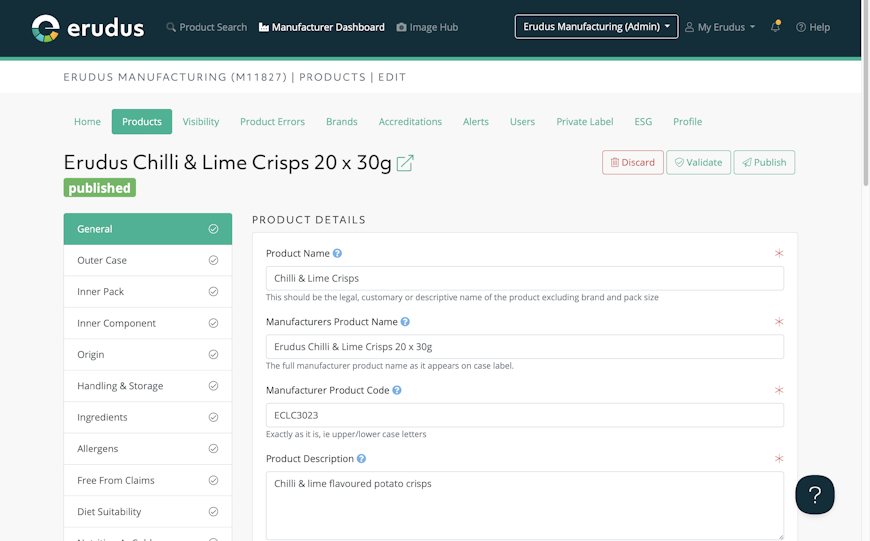
Each change to a product will generate a new version - if you would like to learn more about product versions see: Version Control for Erudus Specifications.
Still got questions?
The Erudus Knowledge Base is full of guides like this one on Updating a Product, taking you step by step through many Erudus functions - from how to add a product to managing brands in Erudus. You can visit Knowledge Base here.
And of course our dedicated Erudus Support Team are always on hand to help and can be contacted on 0333 121 8999 or via email at support@erudus.com.
You may also be interested in…


You may also be interested in…
New Feature - Revision & Version Control
ReadYou may also be interested in…


You may also be interested in…


