How to add an accreditation in Erudus






Accreditations are a formal recognition that a Manufacturer's products, processes, or facilities meet specific, recognised standards for quality, safety, ethical practices, or sustainability.
In Erudus, an accreditation confirms to those viewing a product’s specification that an independent body has awarded a Manufacturer such a certification or assurance scheme.
Examples of common accreditations in the food industry include:
- BRCGS (formerly BRC): A globally recognised standard for food safety and quality management systems.
- Red Tractor: A UK-based food assurance scheme that covers animal welfare, food safety, and environmental protection.
- SALSA (Safe and Local Supplier Approval): A certification scheme for small and micro businesses in the food and drink industry.
- Organic: Certification that a product has been produced according to organic farming standards.
- Halal/Kosher: Certification that a product meets the dietary requirements of Islamic or Jewish law, respectively.
- Fairtrade: Certification that a product meets certain ethical standards regarding fair wages and working conditions.
Here is your step-by-step guide to adding an accreditation or certification to an Erudus specification...
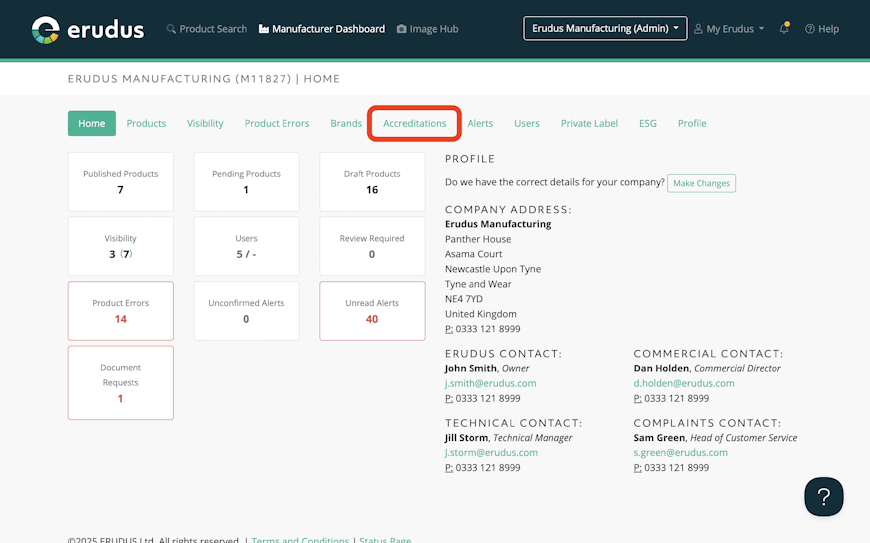
Step 1
From the Manufacturing Dashboard, select the Accreditation tab.


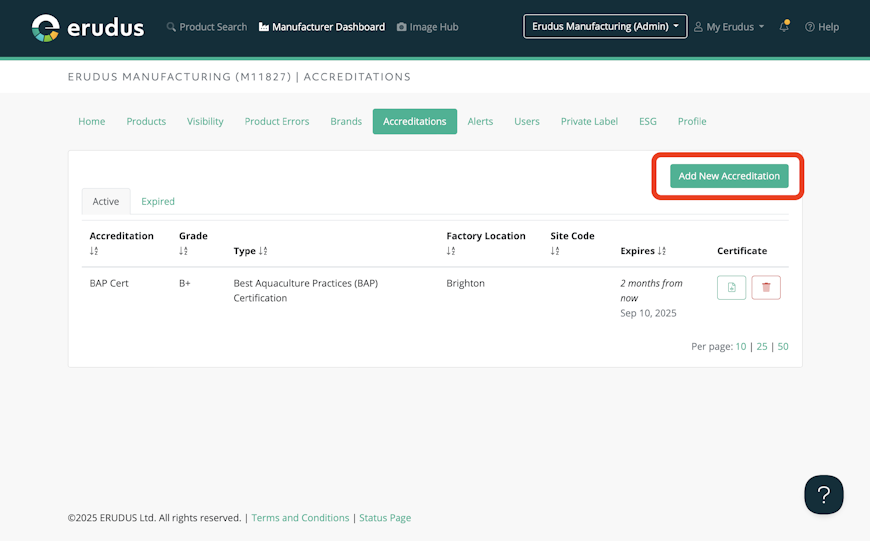
Step 2
To add a new accreditation, simply select “Add Accreditation”.


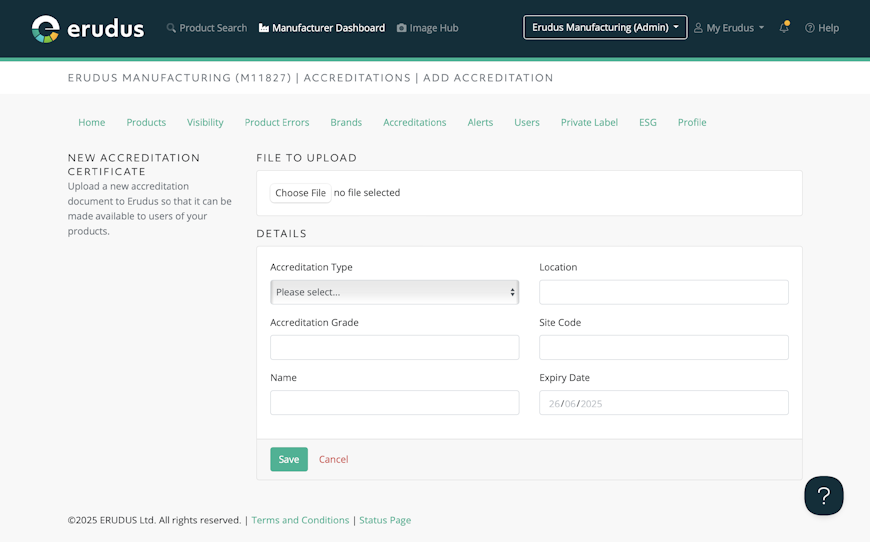
Step 3
Once you have selected “add new accreditation” you will be presented with various fields to complete, and the ability to upload a file. This file upload allows you to upload the relevant certificate or accreditation. The file will be visible to Erudus users should they wish to access your accreditation document.

Still got questions?
The Erudus Knowledge Base is full of guides like this one about Adding an Accreditation, taking you step by step through many Erudus functions - from how to add a product to managing brands in Erudus. You can visit Knowledge Base here.
And of course our dedicated Erudus Support Team are always on hand to help and can be contacted on 0333 121 8999 or via email at support@erudus.com.
You may also be interested in…


You may also be interested in…
Certifications on Erudus: Full Guide
ReadYou may also be interested in…


You may also be interested in…


